Why pay for ten tools when one platform replaces them all?
HighLevel puts your CRM, funnels, email, texting, booking, and automation in one dashboard. Start your trial through us and you get our full bonus stack on top.
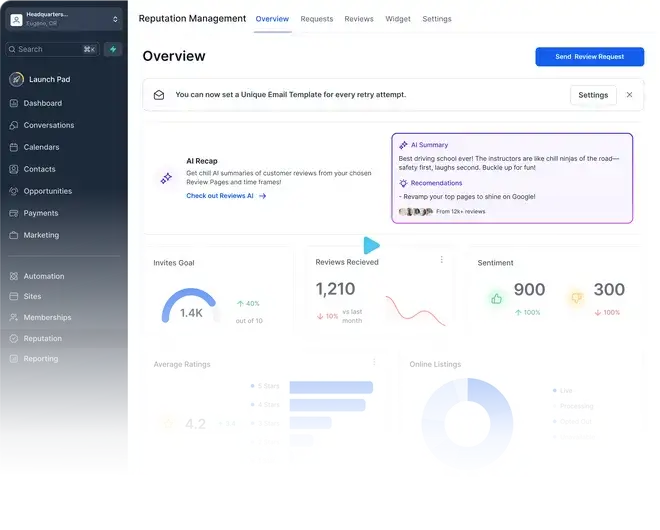
How does one $97 plan stack up against your whole software bill?
Here is HighLevel’s own side-by-side. Every row is a subscription you can cancel the day you switch.
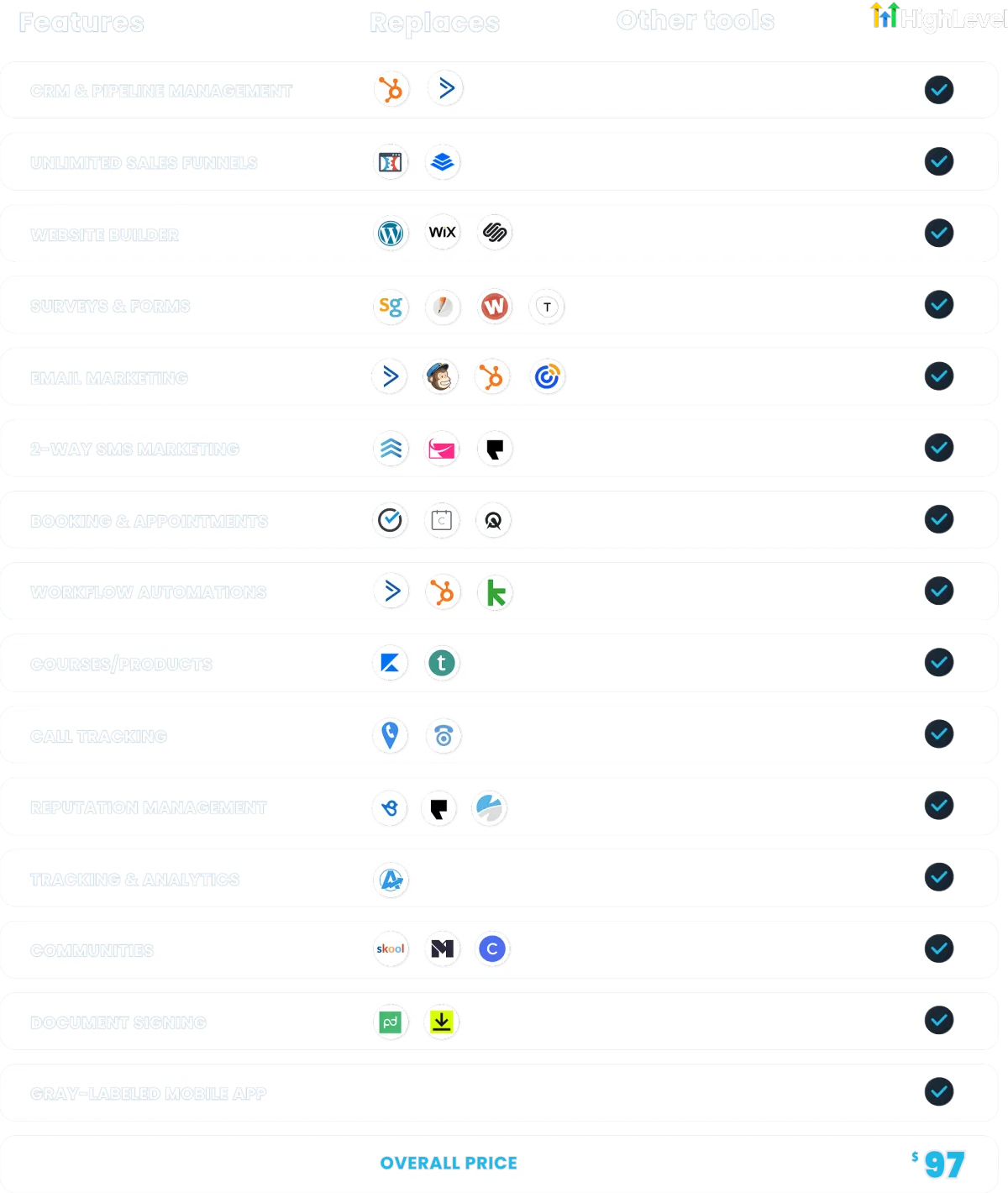
Comparison graphic © HighLevel, Inc., shown here to promote the platform as an affiliate partner.
Every conversation, one inbox
Texts, emails, calls, and social messages land in a single stream, so you reply in seconds instead of hunting through five apps.
- ✓Two-way SMS and email from one thread
- ✓Missed-call text-back captures the lead automatically
- ✓Pipelines show you exactly who is ready to buy


Your whole business on the mobile app
Pipeline value, appointments, unread messages, and payments sit on one screen. You see the health of your business before your coffee cools.
- ✓Take payments and send invoices from your phone
- ✓Book and reschedule appointments on the go
- ✓Dialer, tasks, and contracts built in
Pick your plan. Keep our bonuses.
Same prices you would pay going direct. The difference? Start through our link and the entire bonus stack below comes with it.
Starter
- ✓3 Sub-Accounts
- ✓Unlimited Contacts
- ✓Unlimited Users
- ✓24/7 Support
- ✓All Core Features
Unlimited
- ✓Everything in Starter, plus
- ✓Unlimited Sub-Accounts
- ✓Rebill Phone & Email (no markup)
- ✓Basic API Access
Agency Pro
- ✓Everything in Unlimited, plus
- ✓SaaS Mode
- ✓Automated Sub-Account Creation
- ✓Rebill Phone & Email with Markup
- ✓User/Agent Reporting
- ✓Advanced API Access
Prices published by HighLevel, Inc. (gohighlevel.com/pricing) and current as of July 30, 2026. An Enterprise plan is also available direct from HighLevel.
Your $15,000 bonus stack, free with any plan
Sign up through our link and we hand you everything we use to launch client accounts, at no extra cost.
The Complete Tutorial Library
Every GHL.Support guide, organized into a 30-day launch path so you never wonder what to click next.
$497 value1-on-1 Onboarding Call
A live setup session with a HighLevel-certified builder. Bring your business, leave with it running.
$297 valueAgency Snapshot Install
Our proven pipelines, workflows, and automations loaded into your account so day one looks like month six.
$4,997 value50+ Funnel & Website Templates
Industry-tested funnels you can deploy in minutes. Swap the logo, change the copy, go live.
$2,997 value90 Days of Priority Support
Stuck? Email our team and skip the line. Real answers from people who build in HighLevel daily.
$997 valueClient Onboarding Doc Pack
The white-label intake forms and onboarding docs we use with our own agency clients.
$1,997 valueMonthly Live Q&A
Join our live session every month and get your build questions answered on screen.
$1,997/yr valuePrivate Community Access
Compare notes with other owners and agencies building on HighLevel with our playbooks.
$997/yr valueStart your trial through any link on this page, then forward your signup confirmation to mark@spectralvision.media and we activate every bonus.
Want to get paid for recommending HighLevel?
HighLevel runs one of the most generous affiliate programs in software: recurring commission on every account you refer, month after month. We will show you exactly how we promote it, including the bonus-stack play on this very page.
Become an Affiliate →Learn the platform, one click at a time
Twelve plain-English tutorial hubs that walk you through HighLevel screen by screen.
Ready to run your business from one dashboard?
Start your free trial through our link, claim the $15,000 bonus stack, and follow our tutorials from your very first login.
Start Your Free Trial →